


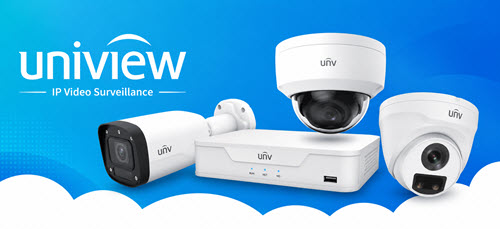

Choosing the best Uniview CCTV system in Australia can help protect your home, office, shop, or commercial property. Uniview offers a wide range of security cameras, network video recorders (NVRs), and smart monitoring technologies for different security requirements.
Some properties only need standard fixed cameras, while others require advanced night vision, smart detection, or PTZ monitoring. Choosing the right camera family and recorder can help you build a reliable security system without spending money on unnecessary features. You can explore reliable security camera solutions in Australia to find suitable products for different security requirements.
In this guide, we explain how to choose the right Uniview CCTV cameras, compare popular camera technologies, and select a suitable NVR for your property.
1. Understand Your Security Requirements
The first step in choosing a Uniview CCTV system is identifying the areas you want to protect. Your camera requirements depend on property size, lighting conditions, and the level of security needed.
Uniview CCTV Systems for Homes and Small Businesses
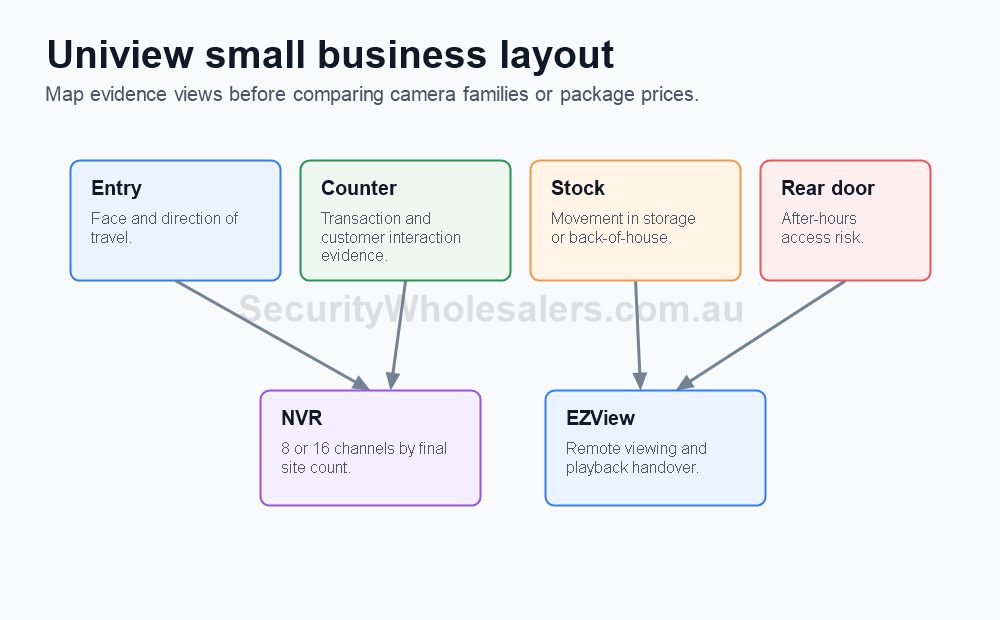
Homes, small offices, clinics, and retail shops usually need cameras around entrances, reception areas, driveways, counters, and storage rooms.
Fixed Uniview IP cameras with an 8-channel NVR can be a practical starting point for smaller installations. They provide a straightforward solution for monitoring important areas.
Uniview CCTV Systems for Commercial Properties
Larger businesses may require 8 to 16 cameras or more. Warehouses, factories, car yards, and commercial buildings often need different camera types to monitor entrances, outdoor spaces, and valuable equipment.
A 16-channel NVR can provide additional camera capacity for growing installations.
Plan Your Camera Locations
Before choosing camera models, identify important monitoring areas:
- Main entrances and exits.
- Reception and customer areas.
- Parking spaces and driveways.
- Storage rooms and warehouses.
- Outdoor boundaries and loading areas.
Good camera placement helps reduce blind spots and provides more useful security footage.
2. Compare Uniview Camera Types and Technologies
Uniview offers different camera designs and technology families. Choosing the correct option can improve video quality and provide better monitoring in different lighting conditions.
Fixed Dome, Eyeball, and Turret Cameras
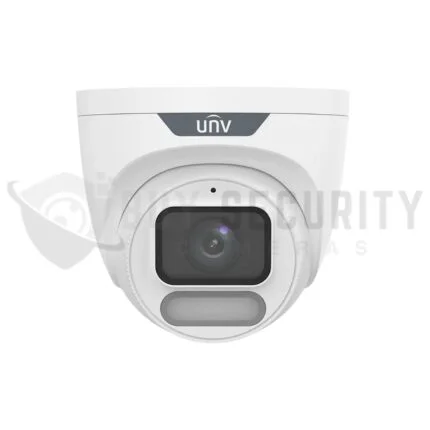
Fixed cameras are suitable for everyday security monitoring. Dome and turret cameras are commonly used in homes, offices, shops, and commercial buildings.
You can explore high-quality Uniview CCTV camera systems to compare available camera options for different installation requirements.
LightHunter, ColorHunter, OwlView, and Tri-Guard
Uniview offers several camera technologies designed for different security situations.
| Technology | Main Purpose | Best Application |
|---|---|---|
| LightHunter | Improved low-light performance | Dark outdoor areas |
| ColorHunter | Colour imaging in low-light conditions | Entrances and outdoor spaces |
| OwlView | Advanced low-light monitoring | Difficult night scenes |
| Tri-Guard | Active warning and deterrence | After-hours security |
Choose LightHunter or OwlView when night-time image quality is important. ColorHunter is worth considering when colour footage in low-light conditions is required.
For advanced low-light monitoring, consider Uniview OwlView smart security cameras and compare the features of individual models before purchasing.
Tri-Guard is suitable for locations where active warning features, such as lighting and audio deterrence, are useful.
When Should You Choose Uniview PTZ Cameras?
PTZ stands for Pan, Tilt, and Zoom. These cameras can move in different directions and zoom in on selected areas.
They are useful for:
- Large commercial properties.
- Car parks and vehicle yards.
- Warehouses and industrial sites.
- Campuses and outdoor spaces.
Businesses that need flexible monitoring over wider areas can consider advanced Uniview PTZ network cameras.
PTZ cameras should support fixed cameras rather than replace important fixed monitoring views. This helps maintain continuous coverage of critical areas.
3. Choose the Right Uniview NVR and Storage System
A Network Video Recorder (NVR) records and manages footage from compatible IP cameras. Choosing the correct NVR is important for managing your complete CCTV installation.
8-Channel vs 16-Channel Uniview NVR
An 8-channel NVR is suitable for many small offices and shops. A 16-channel recorder is a better option when you need more cameras or expect your security system to grow.
| Property Type | Camera Count | Suggested NVR |
|---|---|---|
| Small office | 4–8 | 8-channel |
| Retail shop | 4–8 | 8-channel |
| Growing business | 8–16 | 16-channel |
| Medium commercial site | 12–16 | 16-channel |
| Large commercial site | 16–32 | Suitable larger NVR system |
Always check camera compatibility, supported recording resolution, storage capacity, and available channels before purchasing.
Plan Your Recording Storage
Your NVR should have enough storage for your required recording period. Consider the following:
- Number of connected cameras.
- Camera resolution and frame rate.
- Continuous or motion-based recording.
- Required footage retention period.
- Hard drive capacity.
Set Up Remote Monitoring with EZView
Uniview EZView allows users to access supported CCTV systems through compatible mobile devices.
Depending on the system, users can check live footage, review recordings, and receive notifications.
Make sure remote access, playback, footage export, and user permissions are tested during installation.
4. How to Choose the Best Uniview CCTV System in Australia
The best Uniview CCTV system is not always the most expensive option. It is the system that provides the right camera coverage, recording capacity, and security features for your property.
Recommended Uniview Systems by Property Type
Home and small office: Choose fixed Uniview cameras with a suitable NVR for everyday monitoring.
Retail shops: Install cameras around entrances, counters, stock areas, and rear doors.
Warehouses: Use fixed cameras for important monitoring areas and PTZ cameras for wider coverage.
Commercial buildings: Combine standard fixed cameras with advanced low-light cameras where needed.
After-hours security: Consider Tri-Guard cameras for areas where active warning features are appropriate.
Final Buying Checklist
Before ordering your Uniview CCTV system, check these important points:
- How many cameras does your property need?
- Which areas require detailed identification?
- Do you need colour night vision or infrared night vision?
- Is an 8-channel or 16-channel NVR suitable?
- How much recording storage do you require?
- Do you need remote monitoring and smart alerts?
- Can the system support future expansion?
Avoid purchasing expensive specialist cameras for every location. Use standard fixed cameras for normal monitoring and choose advanced technologies only where they provide a real benefit.
Conclusion
Choosing the best Uniview CCTV system in Australia requires understanding your property and security requirements. Fixed cameras are suitable for everyday monitoring, while LightHunter, ColorHunter, and OwlView offer additional low-light options. Tri-Guard provides active deterrence features, and PTZ cameras help monitor larger areas.
For small businesses, an 8-channel NVR can be a practical starting point. Growing commercial properties may benefit from a 16-channel recorder or a larger expandable system.
Explore Buy Security Cameras to find Uniview CCTV cameras, smart security solutions, and compatible NVR recording systems for your property.
Frequently Asked Questions (FAQs)
1. What is the best Uniview CCTV system in Australia?
The best system depends on your property size and security needs. Fixed cameras with an 8-channel or 16-channel NVR are practical options for many homes, offices, and small businesses.
2. Is Uniview CCTV good for small businesses?
Yes. Uniview offers fixed IP cameras and NVR systems suitable for small offices, shops, clinics, and other business environments.
3. What is the difference between Uniview LightHunter and OwlView?
Both technologies are designed to improve low-light monitoring. The best choice depends on the specific camera model and the lighting conditions at your property.
4. Should I choose an 8-channel or 16-channel Uniview NVR?
An 8-channel NVR is suitable for systems with up to eight cameras. A 16-channel NVR is useful when you need more camera connections or future expansion.
5. When should I choose Uniview PTZ cameras?
PTZ cameras are useful for large properties such as warehouses, car yards, campuses, and commercial parking areas where wider monitoring and zoom control are required.
6. Can I monitor Uniview CCTV cameras from my mobile phone?
Yes. Supported Uniview systems can be accessed through the EZView mobile application, allowing users to view live footage and access available recording features.