



Wireless Intercoms
Wireless intercoms provide a simple way to communicate with visitors, family members, and staff without running traditional communication cables between devices. Whether you need a system for your home, office, or commercial property, the right wireless intercom can make everyday communication easier.
At Buy Security Cameras Australia, you can explore wireless intercom systems designed for different communication and security needs. From straightforward audio communication to video-enabled systems, there are options to suit various properties. Moreover, choosing the right intercom can help you manage entrances and communicate with visitors more conveniently.
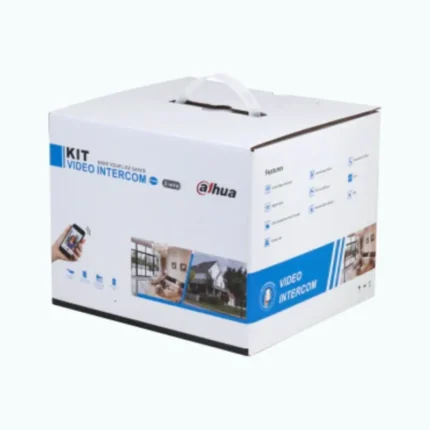

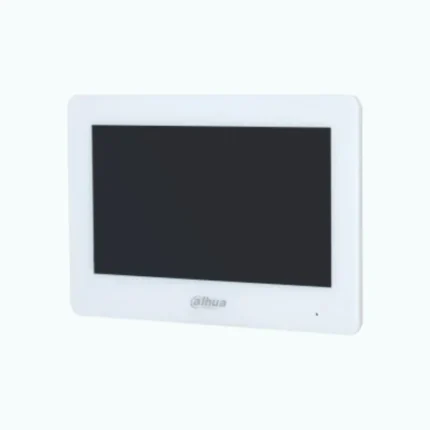
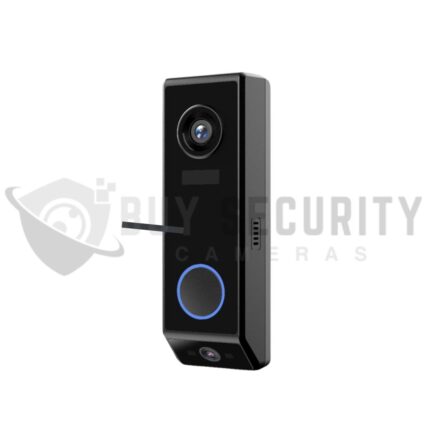
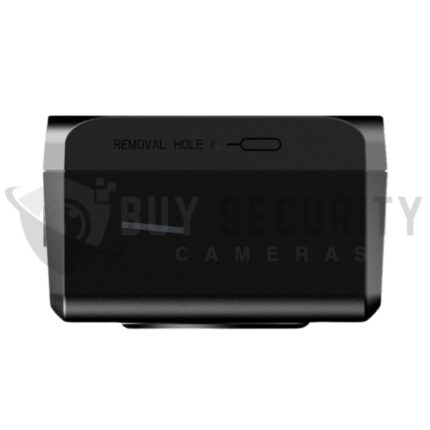


Choose the Right Wireless Intercom System
Wireless intercom systems connect compatible devices using wireless technology. As a result, they can be a practical choice for existing properties where installing additional wiring would be difficult or expensive.
For homeowners, a wireless intercom makes it easier to communicate with visitors at the front door or gate. Meanwhile, businesses can use these systems to connect reception areas, offices, and other workspaces.
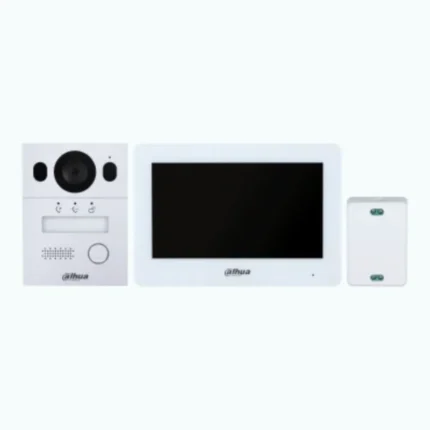
Depending on the model, features may include two-way audio, video monitoring, portable handsets, and remote communication. However, available functions vary between products, so always check the specifications before purchasing.
Benefits of Wireless Intercom Systems
A wireless intercom can improve daily communication while complementing your existing security arrangements. Here are some advantages worth considering.
- Convenient Installation: Reduce the need for extensive cabling between compatible units.
- Easy Communication: Speak with visitors or communicate between different areas of your property.
- Visitor Management: Communicate with people at an entrance before deciding whether to grant access.
- Flexible Placement: Position compatible units according to your needs and the system's wireless range.
- Versatile Applications: Choose suitable systems for houses, apartments, offices, shops, and commercial buildings.
- Useful Features: Depending on the model, access video, portable handsets, or integration with compatible security equipment.
Wireless performance also depends on your surroundings. Walls, building materials, distance, and signal interference can affect connectivity. Therefore, check the manufacturer's recommended range before choosing a system.
How to Choose the Best Wireless Intercom
The best wireless intercom depends on your property, budget, and communication requirements. Before making a purchase, consider these important factors.
Audio or Video: Audio intercoms provide straightforward communication. In comparison, video intercoms allow you to see visitors before responding, provided the selected model supports video.
Wireless Range: Check the recommended operating distance between devices. Large properties and buildings with thick walls may require a system with suitable coverage.
Power Requirements: Some intercoms use rechargeable batteries, while others need a permanent power connection. Choose a system that fits your installation and maintenance preferences.
Indoor or Outdoor Installation: Consider where you intend to place each unit. For outdoor entrances, select equipment with appropriate weather protection for the installation environment.
Compatibility: If you want to connect your intercom to security cameras, smart devices, or access control equipment, confirm compatibility before purchasing.
By comparing these features, you can choose a wireless intercom that balances convenience, performance, and value.
Wireless Intercoms for Residential and Commercial Properties
Wireless intercom systems support communication in a variety of settings. However, the most suitable option depends on how you plan to use the equipment.
Homes and Apartments: Communicate between rooms or speak with visitors at compatible entry points. Multi-unit systems may also help households stay connected across different areas.
Offices and Workplaces: Improve communication between reception desks, offices, and other work areas. This can help staff coordinate everyday tasks more efficiently.
Retail and Commercial Buildings: Suitable intercoms can support staff communication and visitor management in shops and business premises.
Gates and Entrances: A compatible entry intercom allows you to communicate with visitors before granting access. Video-enabled models can provide additional visual information.
For a more complete security setup, consider using compatible intercoms alongside security cameras and access control equipment. Nevertheless, an intercom should complement other security measures rather than replace them.
Shop Wireless Intercoms at Buy Security Cameras Australia
Choosing a wireless intercom starts with understanding your property's layout and communication needs. Consider the wireless range, power supply, installation location, and available features before making your decision.
Explore the wireless intercom range at Buy Security Cameras Australia to compare available products. Review each model's specifications to find a suitable option for your home or business.
Whether you need a basic audio system or a video-enabled intercom, the right solution can make communication more convenient and help you manage visitors with greater confidence.
Frequently Asked Questions
1. What is a wireless intercom system?
A wireless intercom system allows people to communicate between compatible devices without traditional wired connections between every unit. Depending on the model, it may support audio, video, or additional communication features.
2. Are wireless intercoms suitable for homes and businesses?
Yes. Wireless intercoms can suit houses, apartments, offices, shops, and other commercial properties. The best choice depends on the property's layout, required coverage, and intended use.
3. Do wireless intercoms require an internet connection?
Not always. Some wireless intercoms communicate directly between compatible units, while others require Wi-Fi or an internet connection for remote access and smart features. Check the product specifications before purchasing.
4. What is the difference between an audio and a video intercom?
An audio intercom allows users to speak with visitors, while a video intercom also provides a visual view of the person at the entrance. Video functionality depends on the selected model.
5. How far can a wireless intercom reach?
The operating range varies by model and installation environment. Walls, obstacles, building materials, and wireless interference can reduce coverage. Always check the manufacturer's stated range.
6-How Does a Wireless Intercom System Work?
A wireless intercom system lets you talk to someone without needing wires between devices. It sends voice signals through radio waves or Wi-Fi, depending on the model. Some systems also include a camera, allowing you to see visitors at your door before opening it. This makes communication easier at home, in offices, and in businesses