




Choosing the right computer display cable is important for getting the best performance from your monitor, TV, or gaming setup. Many people focus only on the screen quality but forget that the cable also affects video clarity, refresh rate, and overall display performance. Whether you use your computer for gaming, office work, video editing, or streaming, selecting the correct display cable can improve your experience significantly.
Modern display cables come with different technologies, resolutions, and compatibility features. Some are ideal for gaming, while others are better for professional workstations or home entertainment systems. Understanding the differences between HDMI, DisplayPort, VGA, DVI, and USB-C cables helps you make the right choice for your setup.
If you are upgrading your system, it is always smart to invest in durable and reliable cables that deliver stable performance for long-term use.
Why Computer Display Cables Matter
A display cable is responsible for transferring video and audio signals from your computer to your monitor or television. Poor-quality cables may lead to signal loss, screen flickering, low resolution, or poor refresh rates. This becomes more noticeable when using high-resolution monitors such as 4K or 8K displays.
Modern computers and monitors require advanced cable technology to support fast data transfer and sharp image quality. Choosing the correct cable ensures smooth visuals, accurate colors, and better performance for gaming and professional tasks. Many users experience lag or blurry images simply because they are using outdated cables.
Investing in quality display cables can improve both productivity and entertainment. Reliable cables also last longer and reduce the chances of connectivity problems during important work or gaming sessions.
Understanding Different Types of Display Cables
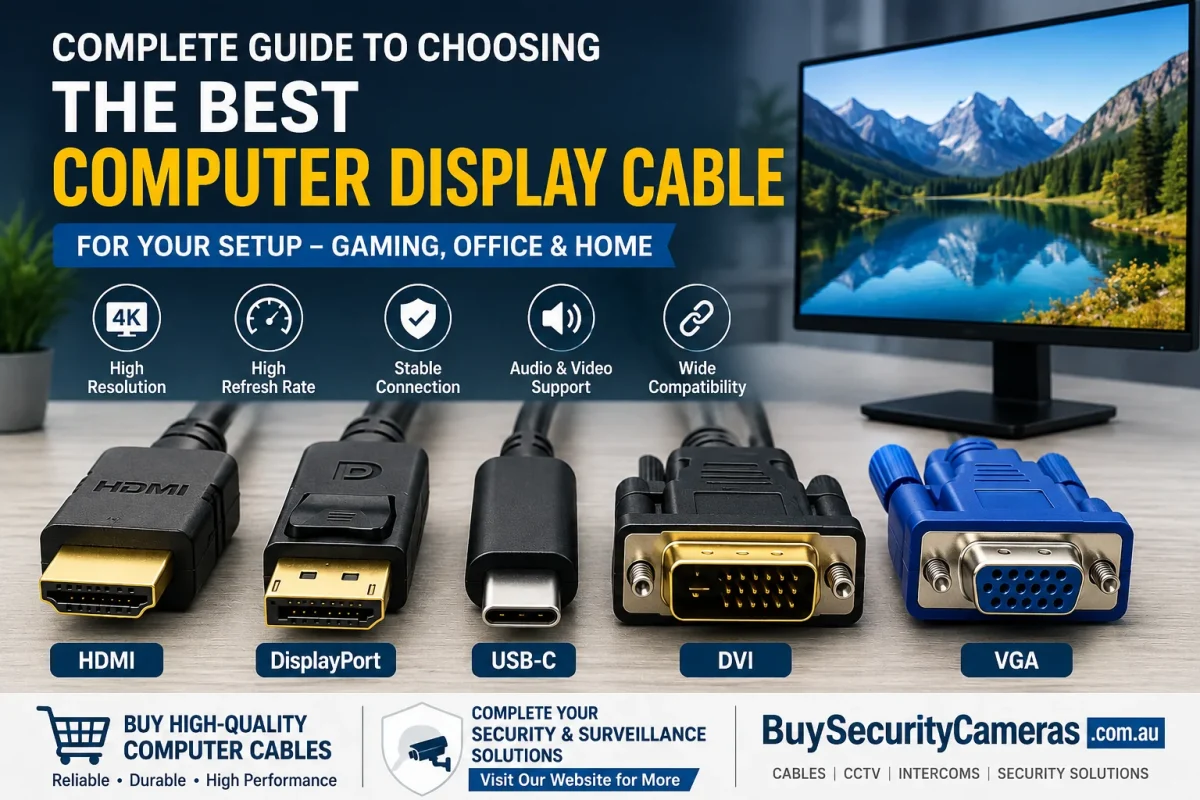
There are several types of computer display cables available in the market today. The most common options include HDMI, DisplayPort, VGA, DVI, and USB-C cables. Each cable type is designed for different devices and performance levels.
HDMI cables are widely used for televisions, monitors, gaming consoles, and laptops because they support both audio and video. DisplayPort cables are popular among gamers and professionals due to higher refresh rates and advanced display support. VGA cables are older analog cables still used in some office environments, while DVI cables offer digital video support for older monitors.
USB-C display cables are becoming more popular because they support fast data transfer, video output, and charging in one connection. Understanding these cable types makes it easier to choose the best option for your setup.
HDMI Cables for Everyday Use
HDMI cables are one of the most commonly used display cables worldwide. They provide high-definition video and audio through a single cable, making them perfect for home and office use. HDMI cables are compatible with computers, monitors, televisions, projectors, and gaming consoles.
Modern HDMI cables support 4K and even 8K resolutions, depending on the cable version. HDMI 2.1 cables are especially useful for gamers who need higher refresh rates and smoother gameplay. These cables also support advanced audio formats for better entertainment experiences.
When selecting HDMI cables, it is important to check the cable version and compatibility with your devices. A high-quality HDMI cable helps reduce signal loss and provides clear, stable visuals for both work and entertainment purposes.
DisplayPort Cables for Gaming and Professionals
DisplayPort cables are widely preferred by gamers, designers, and video editors because they support higher refresh rates and better display performance. These cables are excellent for high-performance monitors and advanced graphics setups.
DisplayPort technology supports multiple monitors through a single connection, which is useful for professional workstations. Gamers also benefit from smoother gameplay and reduced screen tearing when using DisplayPort cables with high-refresh-rate monitors.
Another advantage of DisplayPort cables is their support for high resolutions and advanced display technologies. They are commonly used in gaming PCs, creative studios, and professional office setups. If you want the best display performance, DisplayPort cables are often the ideal solution for modern systems.
VGA and DVI Cables Still Used Today
Although HDMI and DisplayPort are more advanced, VGA and DVI cables are still used in many offices and older computer systems. VGA cables use analog signals, which can reduce image quality on modern displays. However, they remain useful for older projectors and monitors.
DVI cables provide better video quality compared to VGA because they use digital signals. Many older gaming monitors and office displays still support DVI connections. While these cables may not support modern 4K resolutions, they continue to serve basic display needs effectively.
If your devices only support VGA or DVI ports, using quality cables can still provide stable performance. However, upgrading to modern display cables is recommended for better visual quality and compatibility.
Choosing the Right Cable Length
Cable length plays an important role in display performance. Using cables that are too long may reduce signal quality, especially for high-resolution displays. Shorter cables usually provide better signal stability and reduce interference.
For home offices and gaming setups, selecting the correct cable length helps keep the workspace clean and organized. Extremely long cables can create clutter and make cable management difficult. It is best to measure the required distance before purchasing a display cable.
High-quality cables with proper shielding help maintain strong signal performance even over longer distances. Always choose reliable products that match your setup requirements for the best results.
Importance of Cable Build Quality
The durability and build quality of a display cable directly affect its lifespan and performance. Cheap cables may wear out quickly, causing signal interruptions or damaged connectors. Strong outer materials and gold-plated connectors improve durability and signal reliability.
Premium cables are designed to resist bending and everyday wear. They are also better at reducing electromagnetic interference, which can affect display quality. For gaming and professional setups, investing in quality cables ensures stable performance and long-term reliability.
Many users prefer High-quality computer cables because they offer dependable performance and compatibility with modern systems.
Display Cables for Gaming Setups
Gaming setups require display cables that support high refresh rates and low latency. HDMI 2.1 and DisplayPort cables are the best choices for modern gaming monitors and graphics cards. These cables provide smoother visuals and better gaming performance.
Gamers using 144Hz or 240Hz monitors should carefully check cable compatibility. Using outdated cables may limit monitor performance and reduce refresh rates. Modern gaming systems also benefit from adaptive sync technologies supported by advanced display cables.
Many gaming enthusiasts also invest in complete security and monitoring systems for their gaming rooms using advanced CCTV camera kits to improve safety and monitoring.
Best Display Cables for Office Work
Office users often require reliable display cables for daily tasks like presentations, video calls, and multitasking. HDMI and USB-C cables are popular in office environments because they support modern laptops and monitors.
USB-C cables are especially useful for business professionals because they combine video, charging, and data transfer into one cable. This helps reduce desk clutter and simplifies connectivity. HDMI cables remain ideal for conference rooms and dual-monitor setups.
Reliable cables improve productivity by reducing display interruptions and maintaining stable connections during important work tasks. Choosing the right cable also ensures compatibility with future office upgrades.
Cable Compatibility and Adapters
Before purchasing a display cable, it is important to check your device ports and compatibility requirements. Some computers may only support HDMI, while others use DisplayPort or USB-C connections. Adapters can help connect different devices, but direct cable connections usually provide better performance.
Using low-quality adapters may reduce image quality or create connection issues. It is recommended to purchase certified adapters and cables for stable performance. Modern laptops often require USB-C adapters for external monitor connections.
Checking compatibility before buying helps avoid unnecessary expenses and ensures smooth setup installation for your devices.
Organizing Your Setup with Smart Accessories
A clean and organized setup improves both productivity and appearance. Proper cable management prevents tangled wires and makes maintenance easier. Cable organizers, clips, and sleeves help keep display cables neat and protected.
Many homeowners also improve communication and security in their workspaces using advance home video intercom systems for added convenience and safety.
Organized setups also improve airflow around computers and monitors, reducing overheating risks. Proper cable arrangement creates a professional and comfortable workspace for daily use.
Future Trends in Display Cable Technology
Display cable technology continues to evolve as monitors and graphics systems become more advanced. Future cables will support higher resolutions, faster refresh rates, and improved data transfer speeds. USB-C and Thunderbolt technologies are already becoming popular because of their versatility and efficiency.
Wireless display technology is also improving, but wired connections still provide the most reliable and stable performance for gaming and professional work. Manufacturers continue developing cables that support advanced HDR visuals and ultra-high-definition displays.
Staying updated with modern cable technology helps users build future-ready computer setups that deliver excellent performance for years.
Conclusion
Choosing the best computer display cable depends on your devices, usage needs, and performance expectations. HDMI cables are excellent for everyday entertainment and office work, while DisplayPort cables are ideal for gaming and professional use. USB-C technology is also becoming a versatile option for modern systems.
High-quality cables improve display clarity, refresh rates, and connection stability. They also help avoid common issues such as flickering, lag, and signal loss. Investing in reliable products ensures long-term performance and better user experiences.
For users building complete tech and security setups, exploring top-rated security cameras for sale can also help create smarter and safer environments for homes and offices.