



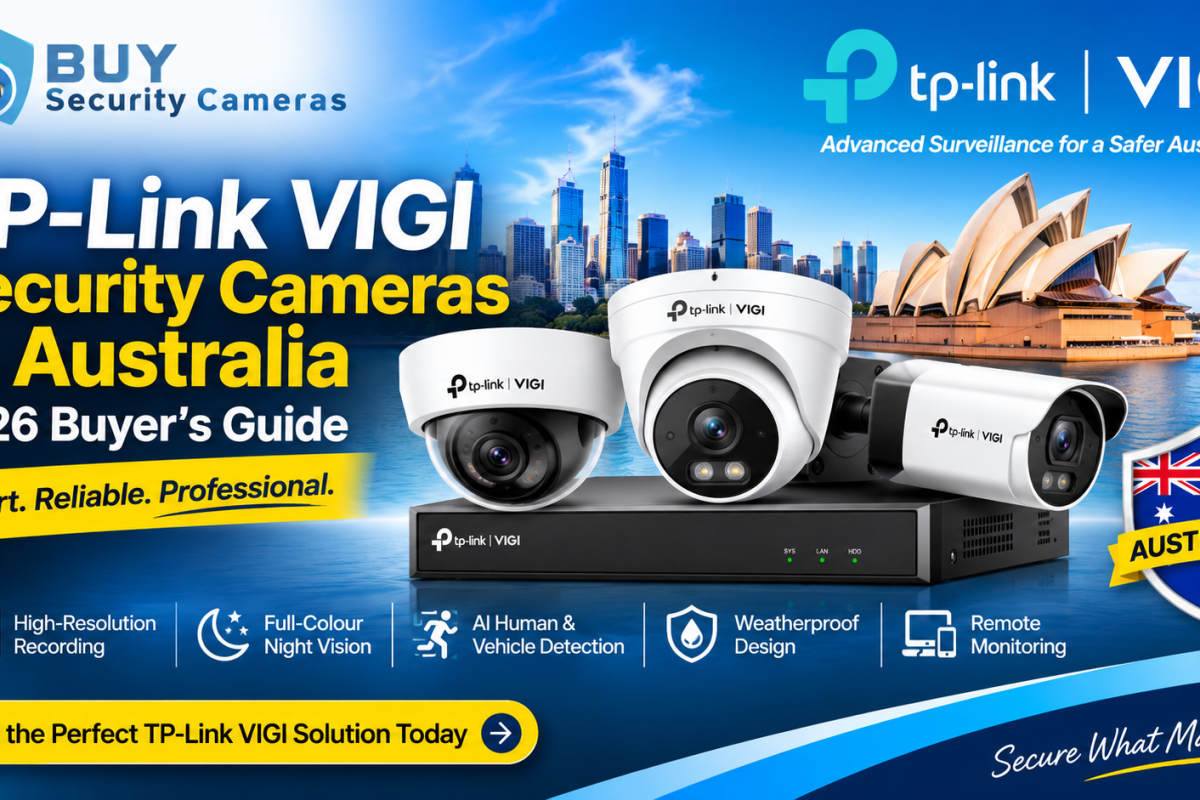
Choosing the right security camera system is essential for protecting your home, business or commercial property. Whether you need to monitor a retail store, warehouse, office, car park or remote location, TP-Link VIGI security cameras offer a range of professional surveillance solutions designed for different security requirements.
TP-Link VIGI provides a comprehensive range of IP security cameras, including bullet, turret, dome, panoramic, 4G and Wi-Fi models. With options featuring 4MP, 5MP and 8MP resolution, intelligent detection, full-colour night vision and network recording, businesses can build a CCTV system suited to their premises.
At Buy Security Cameras Australia, we offer a selection of TP-Link VIGI security cameras in Australia for customers looking for reliable surveillance equipment. This buyer’s guide explains the different camera types, key features, recording options and factors to consider before choosing a suitable VIGI security camera system.
What Are TP-Link VIGI Security Cameras?
TP-Link VIGI security cameras are professional network surveillance cameras designed for business and property monitoring. The VIGI range includes IP cameras, network video recorders (NVRs), solar power systems and compatible surveillance accessories.
Unlike basic standalone cameras, VIGI network cameras can be integrated into a centralised surveillance system. This allows users to monitor multiple locations, manage compatible devices and review recorded footage through supported management solutions.
TP-Link VIGI cameras are suitable for various applications, including:
- Retail shops and shopping centres
- Offices and commercial buildings
- Warehouses and distribution centres
- Restaurants and hospitality businesses
- Schools and educational facilities
- Car parks and outdoor areas
- Farms and agricultural properties
- Construction sites and remote locations
With different camera designs and connectivity options available, businesses can select equipment according to their property layout, monitoring requirements and installation environment.
Why Choose TP-Link VIGI Security Cameras in Australia?
When selecting a CCTV system, image quality, night vision, detection capabilities and recording performance are important considerations. TP-Link VIGI offers several features designed to support everyday security monitoring.
1. High-Resolution 4MP, 5MP and 8MP Cameras
Camera resolution determines how much visual detail an image can capture. TP-Link VIGI offers different resolution options to suit various surveillance applications.
- 4MP security cameras: Suitable for general business monitoring, entrances and outdoor areas.
- 5MP security cameras: Provide additional image detail for retail stores, offices and commercial premises.
- 8MP 4K security cameras: Suitable for applications requiring higher-resolution footage and more image detail.
Choosing the right resolution depends on the camera’s viewing angle, installation height, monitoring distance and recording requirements.
2. AI Human and Vehicle Detection
Selected TP-Link VIGI cameras feature intelligent detection technologies that help identify relevant security events.
Depending on the model, available features can include:
- Human detection
- Vehicle detection and classification
- Motion detection
- Line-crossing detection
- Area intrusion detection
- Camera tampering detection
These features can help businesses monitor entrances, restricted areas and vehicle access points while reducing unnecessary notifications.
Always check individual product specifications because detection capabilities vary across VIGI models.
3. Full-Colour Night Vision
Night-time surveillance is important for businesses that operate outside normal working hours. Selected TP-Link VIGI cameras feature full-colour night vision technologies that help capture colour footage in low-light environments.
Other models use infrared night vision to monitor areas with limited or no visible lighting.
Full-colour and infrared night vision can be useful for monitoring:
- Building entrances and exits
- Outdoor parking facilities
- Warehouse surroundings
- Commercial pathways
- Storage areas
- Residential driveways
The right option depends on available lighting, monitoring distance and the camera’s specifications.
4. Weatherproof Outdoor Security Cameras
Outdoor security cameras must be suitable for the installation environment. Selected TP-Link VIGI models feature IP66 or IP67 protection, depending on the product.These ratings indicate protection against dust and water exposure under specified testing conditions.Weatherproof VIGI cameras can be suitable for outdoor installations around commercial buildings, warehouses, car parks, farms and residential properties.
Before installation, check the camera’s IP rating, operating temperature and mounting requirements.
5. Remote Monitoring and Centralised Management
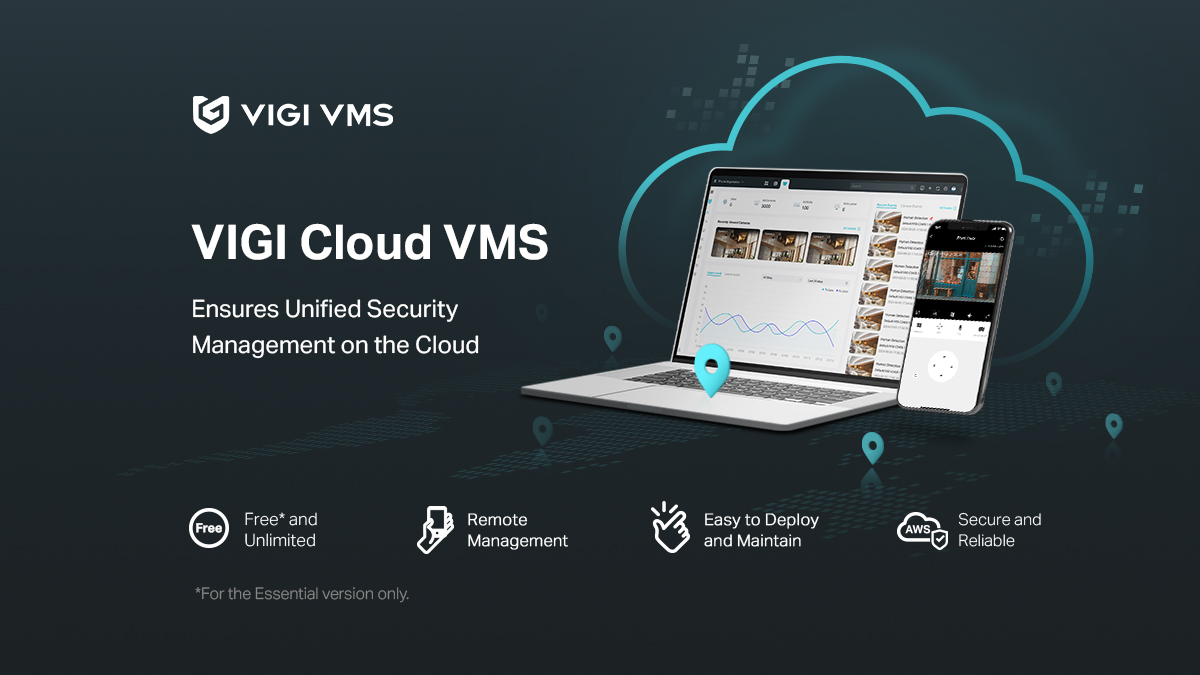
Remote monitoring allows users to access compatible security cameras without being physically present at the property.With supported TP-Link VIGI management solutions, users can view live footage, review recordings and manage compatible camera settings.
This is particularly useful for business owners who need to monitor multiple areas or manage security across different locations.
Types of TP-Link VIGI Security Cameras
TP-Link VIGI offers different camera designs to meet various surveillance requirements. Understanding these options can help you select suitable cameras for your property.
1. TP-Link VIGI Bullet Cameras
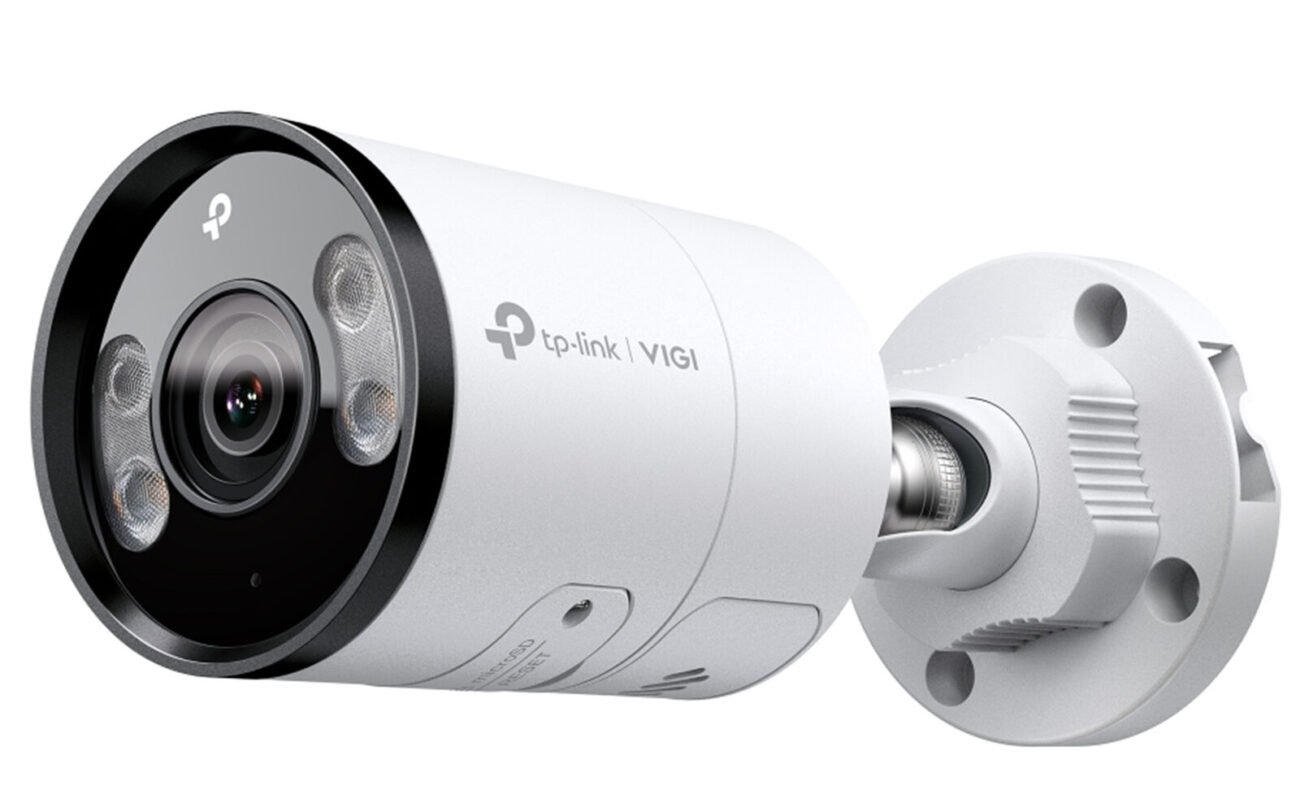
Bullet cameras are commonly installed outdoors to monitor building entrances, driveways, parking areas and property boundaries.Their visible design makes them suitable for locations where clearly positioned surveillance cameras are preferred.
Selected VIGI bullet cameras offer high-resolution recording, night vision, intelligent detection and weatherproof protection.
2. TP-Link VIGI Turret Cameras
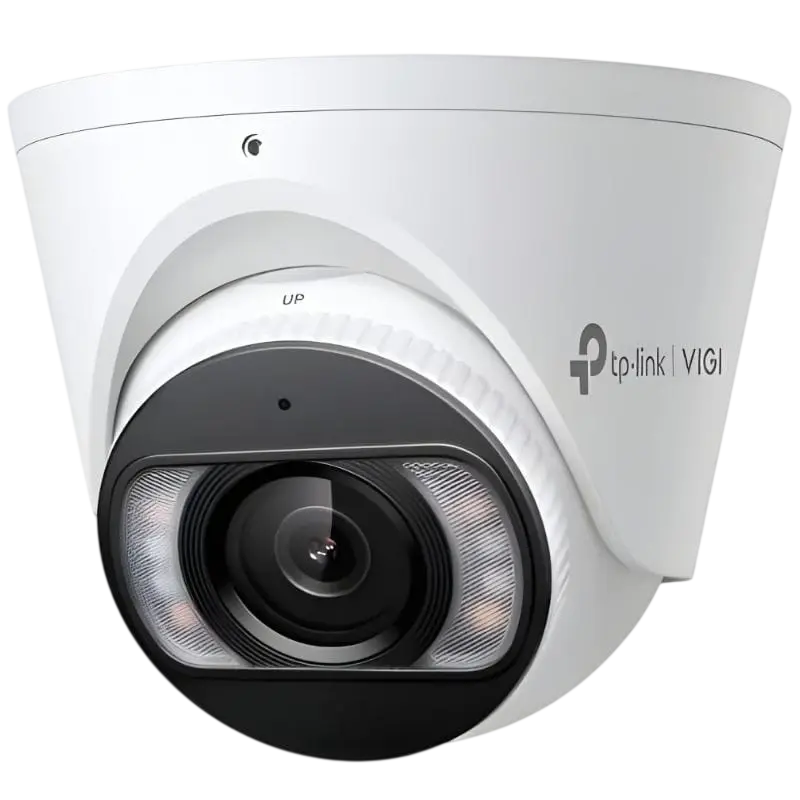
Turret cameras provide a compact surveillance solution for indoor and outdoor installations.They are commonly used in offices, retail stores, restaurants and warehouses. Selected models include full-colour night vision, built-in microphones, two-way audio and human and vehicle classification.
The VIGI C455 is an example of a 5MP full-colour turret camera suitable for customers looking for detailed business surveillance.
3. TP-Link VIGI Dome Cameras
Dome cameras feature a compact design that works well in offices, reception areas, retail environments and commercial buildings.Selected VIGI dome models provide high-resolution recording, night vision and intelligent detection. Some models also offer additional vandal-resistant protection.
4. TP-Link VIGI Pan Tilt Cameras
Pan tilt cameras allow users to adjust the camera’s viewing direction remotely, making them suitable for monitoring larger areas.Depending on the model, features may include automatic tracking, two-way audio, full-colour night vision and intelligent detection.
The VIGI C540-4G is an example of a 4MP outdoor 4G pan tilt camera for locations requiring flexible monitoring and mobile connectivity.
5. TP-Link VIGI 4G Security Cameras
For locations without a conventional wired internet connection, compatible VIGI 4G cameras offer an alternative connectivity option.
These cameras use a compatible mobile network connection and can be useful for:
- Farms and agricultural properties
- Construction sites
- Remote commercial locations
- Temporary surveillance installations
- Outdoor storage facilities
A compatible SIM card, mobile data plan and suitable network coverage are required.
TP-Link VIGI Camera Comparison: Which Model Should You Choose?
Different VIGI camera models offer different resolutions, designs and surveillance features. The following examples can help you understand the available options.
| VIGI Camera Model | Resolution | Camera Type |
|---|---|---|
| VIGI C455 | 5MP | Full-colour turret |
| VIGI C445 | 4MP | Full-colour turret |
| InSight S345-4G | 4MP | 4G bullet |
| VIGI C540-4G | 4MP | 4G pan tilt |
| InSight S385 | 8MP | Full-colour bullet |
| InSight S485PI | 8MP | Panoramic turret |
Always check the individual product listing for the exact lens, connectivity, detection features and installation requirements.
TP-Link VIGI NVR Systems and Video Recording
A Network Video Recorder (NVR) is an important part of a professional IP security camera system. It receives video streams from compatible network cameras and stores recordings for future playback.
TP-Link VIGI NVR systems provide centralised recording and management for compatible surveillance cameras.
When choosing a VIGI NVR, consider the following:
Channel Capacity: Select an NVR that supports the number of cameras required for your property.
Storage Capacity: Choose suitable hard drive storage based on camera resolution, recording settings and required footage retention.
PoE Support: A compatible PoE NVR can supply power and network connectivity to supported cameras through Ethernet cables.
Remote Access: Check compatibility with the required VIGI management applications.
Recording Options: Consider continuous, scheduled and supported event-based recording.
For example, a small retail shop may need a four-channel or eight-channel NVR, while a larger warehouse may require a higher-channel recording system.
TP-Link VIGI Solar Security Camera Systems
Some properties do not have convenient access to mains electricity or traditional network infrastructure. In these situations, compatible solar-powered surveillance equipment can provide an alternative.
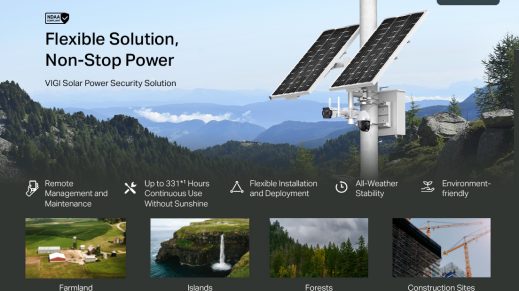
TP-Link VIGI offers solar power systems designed for compatible surveillance installations.
A solar security camera setup may include:
- Solar panels
- Rechargeable battery storage
- Compatible VIGI cameras
- Power connections
- Mounting equipment
These solutions can be useful for farms, construction sites, remote properties and temporary outdoor monitoring.
Before purchasing, check solar panel output, battery capacity, camera compatibility and expected power consumption.
How to Choose the Best TP-Link VIGI Security Camera System
Choosing the right CCTV system starts with understanding your property’s security requirements.
1. Identify the Areas You Need to Monitor
Determine which locations require surveillance, such as entrances, exits, parking spaces, storage rooms and restricted areas.
2. Select the Right Camera Resolution
Choose between 4MP, 5MP and 8MP cameras according to the required image detail and monitoring distance.
3. Consider Night Vision Requirements
For locations requiring overnight monitoring, compare infrared and full-colour night vision technologies.
4. Check Smart Detection Features
Human detection, vehicle classification and intrusion detection can help improve monitoring efficiency. Check which features are available on your chosen model.
5. Choose the Right Recording System
Select a compatible NVR with sufficient camera channels and storage capacity for your installation.
6. Consider Network Connectivity
Determine whether your installation requires PoE, Wi-Fi or 4G connectivity. Remote properties may benefit from compatible 4G and solar-powered equipment.
7. Check Indoor and Outdoor Protection
Choose cameras with suitable weatherproof and vandal-resistant ratings for their installation locations.
TP-Link VIGI Security Camera Applications in Australia
TP-Link VIGI cameras can support different security requirements across Australian industries.
| Application | Recommended Camera Type |
|---|---|
| Retail shops | Turret and dome cameras |
| Warehouses | Bullet and panoramic cameras |
| Offices | Dome and turret cameras |
| Restaurants | Turret and dome cameras |
| Car parks | Outdoor bullet and pan tilt cameras |
| Farms | Compatible 4G and solar solutions |
| Construction sites | Outdoor 4G cameras |
| Commercial buildings | Network IP camera systems |
Selecting suitable cameras for each location can help improve surveillance coverage and avoid unnecessary equipment costs.
Where to Buy TP-Link VIGI Security Cameras in Australia?
Choosing suitable surveillance equipment from a reliable supplier is an important step when planning a CCTV installation.
At Buy Security Cameras Australia, customers can explore a selection of TP-Link VIGI security cameras and related surveillance equipment for different property requirements.
Our range includes options for customers looking for:
- 4MP, 5MP and 8MP IP security cameras
- Outdoor bullet and turret cameras
- Full-colour night vision cameras
- Pan tilt security cameras
- 4G network cameras
- Solar-powered surveillance equipment
- Compatible NVR recording systems
- Professional CCTV camera kits
Whether you are securing a retail store, office, warehouse, farm or residential property, selecting compatible cameras and recording equipment is essential.
Explore our TP-Link VIGI Security Cameras to compare available products and find a suitable surveillance solution for your requirements.
Frequently Asked Questions About TP-Link VIGI Security Cameras
1. Are TP-Link VIGI security cameras suitable for businesses in Australia?
Yes. TP-Link VIGI offers professional network security cameras with features such as high-resolution recording, intelligent detection, night vision and centralised management. Selected models are suitable for retail shops, offices, warehouses and commercial properties.
2. What is the best TP-Link VIGI camera resolution?
The best resolution depends on your monitoring requirements. 4MP and 5MP cameras are suitable for many everyday surveillance applications, while 8MP 4K cameras provide greater image detail for locations requiring higher-resolution footage.
3. Do TP-Link VIGI cameras support night vision?
Yes. Selected TP-Link VIGI cameras support infrared or full-colour night vision. Available technologies and performance vary by model.
4. Can I view TP-Link VIGI cameras remotely?
Yes. Compatible VIGI cameras and management solutions support remote monitoring through supported applications. An appropriate network connection and configuration are required.
5. Do TP-Link VIGI cameras support PoE?
Many VIGI network cameras support Power over Ethernet (PoE). This allows compatible cameras to receive power and network connectivity through a single Ethernet cable. Always check the individual model specifications.
6. Are TP-Link VIGI cameras waterproof?
Selected outdoor VIGI cameras feature IP66 or IP67 protection. These ratings indicate different levels of dust and water protection. Check the product specifications before choosing a camera for outdoor installation.
7. Can TP-Link VIGI cameras detect people and vehicles?
Selected VIGI models support human and vehicle classification, intelligent detection and other video analytics. The available features depend on the camera model.
8. Can TP-Link VIGI cameras work without an NVR?
Some VIGI cameras support alternative recording and management options, depending on their specifications. However, an NVR is a practical option for centralised recording and managing multiple cameras.
9. Are TP-Link VIGI cameras suitable for remote locations?
Yes. Compatible 4G and solar-powered VIGI solutions can be suitable for remote properties, farms and construction sites where conventional network or power infrastructure is limited. Mobile coverage and power requirements must be checked.
10. How do I choose between a TP-Link VIGI bullet and turret camera?
Bullet cameras are commonly used for outdoor monitoring of entrances and property boundaries. Turret cameras offer a compact design suitable for offices, shops and outdoor installations. The best choice depends on the viewing angle, mounting position and surveillance requirements.
Final Thoughts
TP-Link VIGI security cameras in Australia provide a range of surveillance options for businesses, commercial properties and residential applications. With different camera designs, 4MP, 5MP and 8MP resolutions, intelligent detection, night vision and compatible recording systems, the VIGI range can support a variety of security requirements.
Before purchasing, consider your property’s layout, camera placement, recording requirements, network connectivity and budget. Choosing compatible equipment will help you build a CCTV system that provides suitable coverage and reliable monitoring.
Explore the TP-Link VIGI range at Buy Security Cameras Australia to compare available security cameras and find the right equipment for your property.